
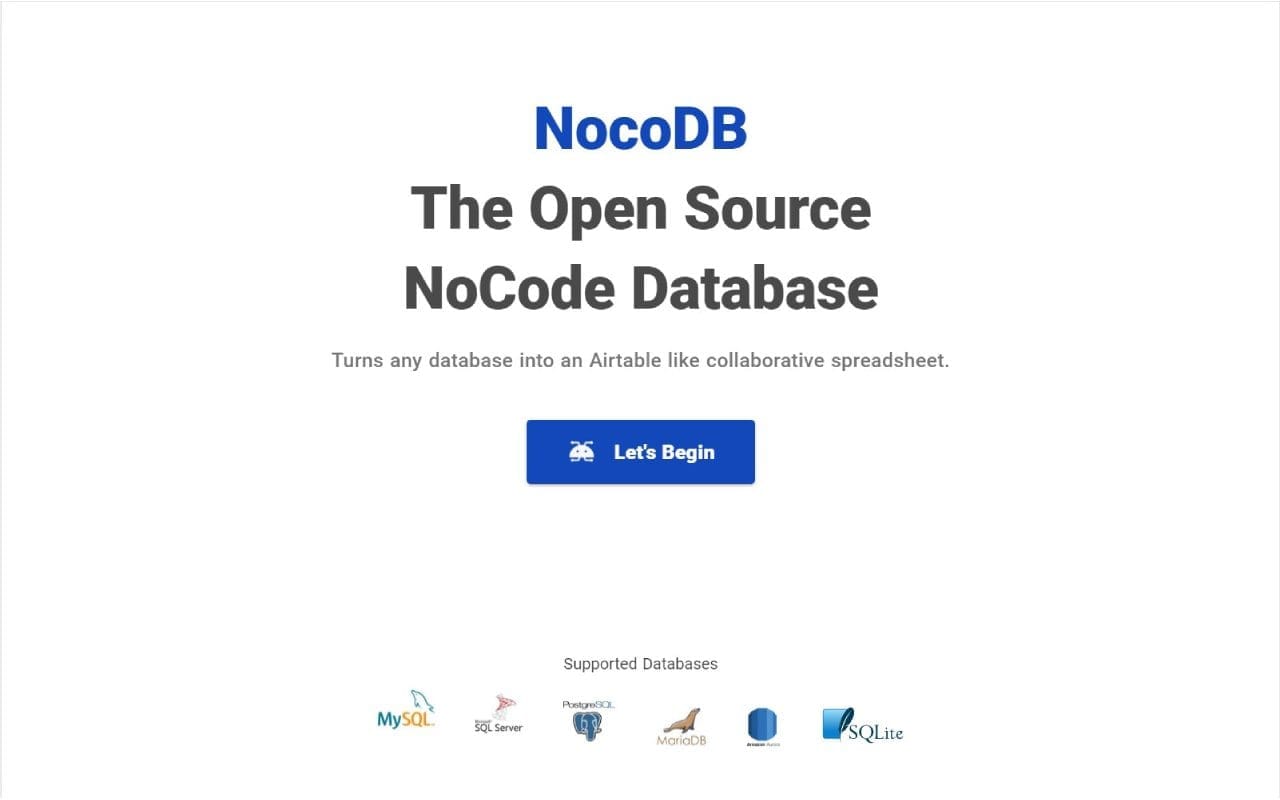
What is NocoDB?
NocoDB is a self-hosted, low-code database management and collaboration platform that transforms relational databases into interactive spreadsheets.
Designed as an alternative to Airtable, NocoDB provides a familiar spreadsheet interface for managing structured data while preserving the capabilities of relational databases.
Users can connect existing databases or create new tables, organize information into rows and columns, establish relationships between records, and collaborate with other team members through configurable views and permissions.
NocoDB supports multiple ways of presenting information, including grid, gallery, Kanban, calendar, and form views. It also provides APIs, webhooks, and workflow automation capabilities for integrating data management into existing business processes.
The platform is particularly useful for businesses, developers, and organizations that want a flexible interface for working with databases without building a custom application for every requirement.
History of NocoDB
NocoDB was developed to make relational database management more accessible to non-technical users.
The project introduced a spreadsheet-style interface that allows users to interact with database tables without requiring extensive SQL knowledge.
Its architecture focuses on connecting existing databases, managing structured information, and providing collaborative interfaces for business teams.
NocoDB has evolved beyond basic spreadsheet functionality to include database relationships, automation, API integrations, application interfaces, and granular permissions.
The platform offers a self-hosted Community Edition and additional commercial editions with extended functionality.
Key Features of NocoDB
NocoDB provides a comprehensive collection of tools for database management and collaborative data operations.
- Spreadsheet Interface: Manage database records through an intuitive table-based interface.
- Database Connectivity: Connect existing PostgreSQL and MySQL databases.
- Table Management: Create, modify, and organize database tables and fields.
- Multiple Views: Display records through grid, form, gallery, Kanban, calendar, and other supported views.
- Relational Data: Establish relationships between tables using linked record fields.
- Advanced Filtering: Filter, sort, and group records according to specific conditions.
- Field Types: Support text, numbers, dates, attachments, selections, formulas, and other field types.
- Data Import: Import information from CSV, Excel, and JSON files.
- Data Export: Export database information for external processing and reporting.
- Real-Time Collaboration: Allow multiple users to work with shared database projects.
- Role-Based Access: Configure user permissions for workspaces, projects, tables, fields, and records.
- REST API: Access and manage database records programmatically.
- Webhooks: Trigger external actions when database records are created, updated, or deleted.
- Workflow Automation: Automate business operations using configurable triggers and actions.
- Public Forms: Collect information through shareable forms.
- Dashboards: Create interfaces for presenting important business information.
- Plugin Architecture: Extend functionality through supported integrations and plugins.
- Docker Support: Deploy NocoDB using Docker and Docker Compose.
Use Cases
NocoDB is suitable for businesses, developers, startups, and organizations that need an accessible interface for managing structured information.
Common use cases include:
- Customer Relationship Management: Organize customers, contacts, leads, and sales opportunities.
- Inventory Management: Track products, stock quantities, suppliers, and warehouse information.
- Project Management: Manage tasks, deadlines, assignments, and project progress.
- Content Management: Organize articles, media assets, editorial calendars, and publishing workflows.
- Human Resources: Maintain employee records, organizational information, and recruitment data.
- Business Operations: Build internal tools for managing company processes.
- Order Management: Track customer orders, products, payments, and fulfillment.
- Research and Data Collection: Organize structured datasets and information collected through forms.
- Application Development: Provide a database management interface for internal applications.
- Database Administration: Allow non-technical users to interact with existing relational databases.
- Team Collaboration: Share structured information between departments and project teams.
Benefits of NocoDB
- Provides an Airtable-like interface for relational databases
- Supports self-hosted deployment
- Connects to existing database infrastructure
- Reduces the need for custom database administration interfaces
- Supports multiple ways to visualize and organize data
- Provides configurable relationships between records
- Includes collaborative data management
- Offers granular access permissions
- Provides REST API and webhook integrations
- Supports data import and export
- Enables workflow automation
- Provides extensibility through plugins
- Helps bridge the gap between technical and non-technical users
- Allows organizations to maintain control over their infrastructure and data
How to Install NocoDB
To install NocoDB through Esadax, follow these steps:
- Purchase the application through Esadax.
- After purchasing, you will be prompted to provide the required configuration parameters.
- Configure the database connection or select the database backend provided by the deployment.
- Set a secure authentication secret.
- Configure persistent storage for application data and attachments.
- Click Deploy to launch the application.
- Access NocoDB through its assigned application URL.
- Complete the initial administrator account registration.
- Create your first workspace and database project.
- Connect an existing database or create new tables.
- Configure fields, relationships, and views.
- Invite team members and configure access permissions.
- Start managing your data through the spreadsheet interface.
Once configured, NocoDB provides a centralized environment for managing relational data and collaborating with other users.
Database Management
NocoDB provides a visual interface for creating and managing structured database information.
Users can create projects containing tables, fields, and relationships without having to manually write SQL queries for everyday operations.
Each table represents a collection of related records, while fields define the information stored in each record.
For example, a CRM application can contain the following tables:
| Table | Example Fields |
|---|---|
| Customers | Name, email, phone, address |
| Contacts | Name, position, customer |
| Products | Name, SKU, price, category |
| Orders | Order number, customer, total, status |
| Employees | Name, department, position |
| Tasks | Title, description, assignee, due date |
NocoDB supports different field types, including:
- Single-line text
- Long text
- Numbers and currencies
- Dates and timestamps
- Boolean values
- Single-select and multiple-select fields
- Attachments
- Email and URL fields
- Formula fields
- Relationship fields
- Lookup and rollup fields
Users can configure fields, modify table structures, and organize records through the visual interface.
External Database Integration
One of NocoDB's most important capabilities is its ability to connect to existing relational databases.
Instead of requiring organizations to migrate their information into a new platform, NocoDB can provide a spreadsheet-style interface over supported external database tables.
Supported external database integrations include:
- PostgreSQL
- MySQL
Microsoft SQL Server and Oracle Database are also supported through commercial Enterprise add-ons.
Once connected, users can browse database tables, view records, create views, and work with supported field types.
NocoDB also provides options for managing relationships and synchronizing database metadata.
Database schema editing is disabled by default for external data sources. This helps prevent accidental modifications to existing database structures.
Administrators should enable schema editing only when necessary because incorrect changes can affect existing applications and data integrity.
Spreadsheet Views
NocoDB allows users to create multiple views of the same underlying data.
Each view can have its own filtering, sorting, grouping, and field visibility settings without requiring separate copies of the records.
Available view types include:
- Grid View: Display records in a traditional spreadsheet layout.
- Form View: Collect information through structured forms.
- Gallery View: Display records as visual cards.
- Kanban View: Organize records into columns based on status or another selected field.
- Calendar View: Display date-based records in a calendar.
- Timeline View: Visualize records across a chronological timeline.
- Gantt View: Organize project activities and schedules.
- List View: Display records in a hierarchical structure.
- Map View: Visualize geographical records.
Availability of certain advanced views depends on the selected edition and deployment.
For example, a project management database can use a grid view for detailed editing, a Kanban view for tracking task progress, and a calendar view for monitoring deadlines.
All these views can operate on the same underlying records.
Data Relationships
NocoDB supports relationships between tables, allowing users to organize information into connected data structures.
Relationships make it possible to associate records across different tables without duplicating information.
Supported relationship types include:
- One-to-One
- One-to-Many
- Many-to-Many
For example, an order management application can associate customers with their orders and connect each order to multiple products.
NocoDB also supports additional relational field functionality:
- Lookup Fields: Retrieve information from related records.
- Rollup Fields: Aggregate values from related records.
- Formula Fields: Calculate values using expressions.
- Link to Another Record: Establish relationships between tables.
These features make NocoDB suitable for managing complex business information while maintaining a structured relational data model.
Collaboration and Permissions
NocoDB provides collaboration functionality for teams working with shared database projects.
Administrators can invite users and assign roles according to their responsibilities.
Permission management can operate at different levels:
- Workspace permissions
- Project permissions
- Table permissions
- Field permissions
- Record-level permissions, where supported by the selected edition
Views can also have different permission configurations.
For example, a sales team can access customer and opportunity records while other users have access only to reporting information.
NocoDB supports shared views and forms, allowing selected information to be made available through external links.
Shared views can be configured with password protection where supported.
Workflow Automation and Webhooks
NocoDB provides automation capabilities for reducing repetitive database operations.
Workflows can execute actions in response to configured triggers and conditions.
Common automation scenarios include:
- Sending notifications when records are created.
- Updating information when a record changes.
- Triggering external API requests.
- Processing business records automatically.
- Starting approval workflows.
- Synchronizing information between systems.
- Executing scheduled operations.
NocoDB also supports webhooks that notify external applications when database events occur.
This makes it possible to connect NocoDB with other services and implement automated business processes.
Available automation capabilities and execution limits depend on the selected edition and license.
API and Developer Integrations
NocoDB provides REST APIs that allow developers to interact with database records and application resources.
The API can be used to create, retrieve, update, and delete records without accessing the database directly.
Common integration scenarios include:
- Connecting custom frontend applications.
- Synchronizing external databases.
- Creating records from backend services.
- Retrieving information for reporting applications.
- Automating administrative tasks.
- Integrating websites and content management systems.
- Building custom dashboards.
- Connecting third-party automation platforms.
NocoDB provides both Data APIs for working with records and Meta APIs for managing projects, tables, fields, and views.
API tokens can be generated through account settings and included in requests using the xc-token HTTP header.
This allows developers to integrate NocoDB into existing software environments without implementing a separate database management interface.
Importing and Exporting Data
NocoDB provides tools for importing existing datasets and exporting information for external use.
Supported import formats include:
- CSV
- Excel
- JSON
Users can import records into projects and organize the resulting data through tables and fields.
Export functionality makes it possible to process database information using external applications, reporting tools, and data analysis software.
These capabilities are useful when migrating from spreadsheets or transferring information between business systems.
Security / Administration / Configuration
NocoDB includes administration and access-control functionality for managing users, projects, databases, and application settings.
Because NocoDB can contain sensitive organizational and customer information, deployments should use appropriate security controls.
Important security practices include:
- Use a strong and randomly generated authentication secret.
- Enable HTTPS for all external access.
- Protect administrator credentials.
- Configure granular user permissions.
- Restrict administrative access to authorized users.
- Protect database credentials.
- Use encrypted connections to external databases.
- Keep database ports inaccessible from untrusted networks.
- Protect API tokens and integration credentials.
- Review shared view and public form permissions.
- Keep the application and its dependencies updated.
- Maintain regular backups of database contents and uploaded files.
NocoDB supports authentication through email and password, as well as external authentication options such as Google authentication and OpenID Connect or SAML where configured.
When connecting external databases, administrators should carefully review connection permissions and encryption settings.
Best Practices for NocoDB
- Design database structures before creating large projects.
- Use descriptive table and field names.
- Establish proper relationships between related records.
- Use views to organize information for different teams.
- Avoid unnecessary duplication of database records.
- Configure permissions according to user responsibilities.
- Restrict public access to sensitive information.
- Use external database connections carefully.
- Keep schema editing disabled unless required.
- Protect API tokens and authentication secrets.
- Configure persistent storage for application files.
- Back up application metadata and external databases.
- Monitor database performance as projects grow.
- Test workflows before using them in production.
- Keep NocoDB and its integrations updated.
Configuration Parameters
After purchasing this application on Esadax, you will be prompted to provide the configuration parameters required by the deployment.
Esadax adds the supplied variables to the deployment so the application can be launched with the configuration it requires.
The official NocoDB Docker deployment supports the following environment variables:
| Parameter | Description |
|---|---|
NC_DB |
Primary database connection used by NocoDB to store application metadata and data. |
NC_AUTH_JWT_SECRET |
Secret used to generate and validate authentication tokens. |
NC_APP_DATA_DIR |
Directory used for application metadata and files. Defaults to /usr/app/data/ in Docker deployments. |
PORT |
Network port used by the NocoDB application. Defaults to 8080. |
NC_SITE_URL |
Public URL of the NocoDB instance, used for generated links in emails and other backend URLs. |
NC_ADMIN_EMAIL |
Optional initial Super Admin email address. |
NC_ADMIN_PASSWORD |
Optional initial Super Admin password. |
NC_INVITE_ONLY_SIGNUP |
Restricts account registration to invited users. |
NC_ATTACHMENT_FIELD_SIZE |
Maximum attachment size in bytes. |
NC_DISABLE_TELE |
Controls anonymous usage telemetry. |
The NC_DB parameter accepts database connection configurations.
For example, a PostgreSQL connection can use the following format:
pg://database-host:5432?u=username&p=password&d=database_name
NocoDB can also use SQLite when a primary database connection is not configured. For production deployments, PostgreSQL is generally recommended.
For installations using Redis, the cache connection can be configured through:
| Parameter | Description |
|---|---|
NC_CACHE_REDIS_URL |
Redis connection URL used by the caching layer. |
NC_JOBS_REDIS_URL |
Optional separate Redis connection for background job processing. |
For email invitations and password-reset functionality, configure the SMTP settings:
| Parameter | Description |
|---|---|
NC_SMTP_FROM |
Sender email address. |
NC_SMTP_HOST |
SMTP server hostname. |
NC_SMTP_PORT |
SMTP server port. |
NC_SMTP_USERNAME |
SMTP authentication username. |
NC_SMTP_PASSWORD |
SMTP authentication password. |
NC_SMTP_SECURE |
Enables secure SMTP connection settings. |
The initial administrator email and password should be configured together when using environment-based administrator initialization. Otherwise, the first user can complete registration through the initial setup interface.
Keep NC_AUTH_JWT_SECRET stable after deployment. Changing it can invalidate existing authentication tokens.
The exact configuration parameters depend on the Esadax deployment package. Use the values presented during the purchase and deployment process.
Once the required values are configured, click Deploy to launch NocoDB.
Database and Storage
NocoDB uses a primary database to store application metadata, configuration, and associated data.
Supported primary database configurations include:
- SQLite: Suitable for lightweight installations and testing.
- PostgreSQL: Recommended for production and larger deployments.
- MySQL: Supported as an alternative relational database backend.
NocoDB also allows users to connect external databases as data sources.
It is important to distinguish between the primary application database and external data sources:
- The primary database stores NocoDB application information.
- External databases contain business data that users access through NocoDB projects.
The Docker deployment uses the following persistent application directory:
/usr/app/data/
This directory stores application metadata and files, including uploaded attachments.
For reliable operation:
- Configure persistent storage for
/usr/app/data/. - Use a dedicated database service for production.
- Back up the primary database regularly.
- Back up uploaded attachments.
- Protect database credentials.
- Monitor database storage and performance.
- Test backup restoration procedures.
The database and application storage should both be included in backup procedures.
Deployment and Scalability
NocoDB supports Docker-based deployments and can operate in different infrastructure configurations.
A basic installation can run using a single NocoDB container with SQLite.
For more complete production deployments, the official Quickstart Compose configuration includes:
- NocoDB Application: Provides the web interface and API.
- Worker: Handles background jobs such as imports, exports, and automations.
- PostgreSQL: Stores application data and metadata.
- Redis: Provides caching and background job queue functionality.
The official self-hosting documentation lists the following resource guidelines:
| Resource | Minimum | Recommended for Production |
|---|---|---|
| CPU | 2 vCPU | 4 vCPU |
| RAM | 2 GB | 8 GB |
| Disk | 10 GB | 50 GB or more |
Actual resource requirements depend on the number of users, database size, integrations, background tasks, and application workload.
For production deployments, use persistent volumes, appropriate database resources, HTTPS, and scheduled backups.
Licensing and Editions
NocoDB provides a Community Edition and commercial editions with additional capabilities.
The Community Edition uses the Fair Code Sustainable Use License rather than a conventional OSI-approved open-source license.
It can be self-hosted and used internally, including for applications built for an organization's own use.
Organizations planning to offer NocoDB as a hosted or managed service to third parties may require a commercial license.
Commercial editions provide additional capabilities depending on the selected plan, including features such as advanced authentication, audit logs, and additional access-control functionality.
Review the current licensing terms before using NocoDB in commercial hosting or service-provider environments.
Conclusion
NocoDB is a flexible database management and collaboration platform that makes relational databases accessible through an intuitive spreadsheet interface.
With external database connectivity, configurable views, relational fields, data import and export, workflow automation, APIs, and collaborative permissions, it provides a practical alternative to building custom database administration interfaces.
Its self-hosted deployment model gives organizations control over their infrastructure and database connections while allowing non-technical users to work with structured information.
NocoDB is a suitable solution for businesses, developers, and teams looking to build database-driven workflows and collaborative applications without developing every interface from scratch.