
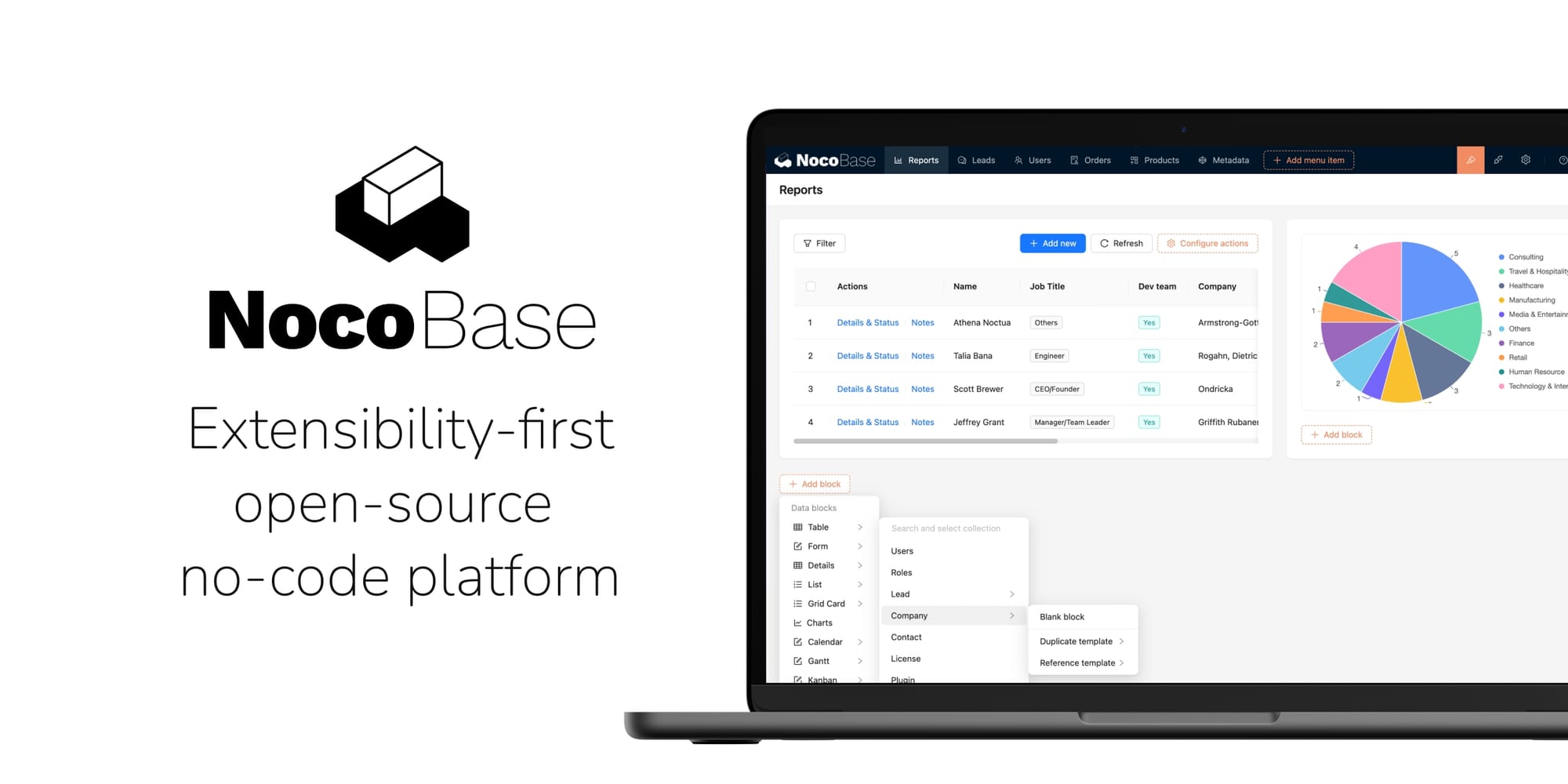
What is NocoBase?
NocoBase is an open-source, self-hosted low-code and no-code platform designed for building custom business applications on top of relational databases.
It provides a visual development environment where users can define data models, create forms, design application pages, configure workflows, and manage access permissions without having to build an entire application from scratch.
Unlike traditional form builders, NocoBase uses a data-model-driven architecture. Business data is organized into collections and fields, while configurable interface components provide ways to view, create, update, and manage that information.
The platform also supports plugins, external data sources, API integrations, and custom development, making it suitable for applications that require more flexibility than basic no-code tools.
NocoBase can be used to build CRM systems, inventory management applications, project management platforms, internal business tools, approval systems, and other customized business applications.
History of NocoBase
NocoBase is an open-source application development platform created by the NocoBase team.
The project was developed to provide an extensible alternative to traditional business application development, combining visual configuration with a flexible data model and plugin architecture.
Its architecture separates business data, application interfaces, and business logic, allowing applications to evolve without requiring every component to be developed independently.
NocoBase uses technologies including Node.js, TypeScript, React, and relational databases.
The platform provides a Community Edition alongside commercial editions with additional capabilities and services.
Key Features of NocoBase
NocoBase provides a comprehensive set of tools for designing and managing business applications.
- Visual Application Builder: Create application interfaces using configurable pages, blocks, forms, and actions.
- Data Modeling: Define collections, fields, relationships, and business data structures.
- Relational Database Support: Connect applications to supported relational databases.
- External Data Sources: Integrate existing databases and external data sources through supported plugins.
- Form Builder: Create customizable forms for entering and updating business information.
- Table Management: Display and manage business records through configurable data tables.
- Workflow Automation: Automate business processes using configurable workflow triggers and actions.
- Role-Based Permissions: Control access to application pages, operations, and individual records.
- Plugin Architecture: Extend the platform with additional functionality through plugins.
- API Integration: Connect external applications and services through available APIs.
- Dashboard Creation: Build dashboards to display business information and operational data.
- User Management: Manage users, roles, and authentication settings.
- File Management: Upload, organize, and manage files associated with business records.
- Custom Application Logic: Extend applications using JavaScript and custom plugins.
- Notifications: Configure notifications for business events and workflow activities.
- Localization: Support multiple languages through available localization features.
- Docker Deployment: Deploy the application using Docker and Docker Compose.
Use Cases
NocoBase is suitable for businesses, developers, and organizations that need customized applications without building every component from scratch.
Common use cases include:
- Customer Relationship Management: Build custom CRM applications for managing customers, contacts, leads, and sales opportunities.
- Enterprise Resource Planning: Create internal applications for managing business operations and resources.
- Inventory Management: Track products, stock levels, suppliers, and warehouse operations.
- Project Management: Manage projects, tasks, deadlines, responsibilities, and progress.
- Human Resources: Build employee management systems, leave requests, and internal HR workflows.
- Approval Systems: Automate purchase requests, expense approvals, and internal authorization processes.
- Order Management: Manage customer orders, payments, fulfillment, and related records.
- Asset Management: Track company equipment, maintenance schedules, and asset assignments.
- Customer Support: Create ticketing systems for handling customer requests and support operations.
- Internal Business Tools: Build customized interfaces for processes that are not covered by standard commercial software.
- Data Management: Create centralized applications for viewing, editing, and organizing information from multiple sources.
Benefits of NocoBase
- Open-source application development platform
- Visual low-code and no-code development environment
- Data-model-driven application architecture
- Supports relational databases and external data sources
- Configurable forms, tables, and application pages
- Workflow automation for business processes
- Granular user permissions and access control
- Extensible plugin architecture
- API integration capabilities
- Support for custom application development
- Suitable for internal business applications
- Self-hosted deployment and data ownership
- Docker-based deployment
- Reduces repetitive application development work
How to Install NocoBase
To install NocoBase through Esadax, follow these steps:
- Purchase the application through Esadax.
- After purchasing, you will be prompted to provide the required configuration parameters.
- Configure the database connection and application security settings.
- Set a secure application key.
- Configure persistent storage for application files and data.
- Click Deploy to launch the application.
- Access NocoBase through its assigned application URL.
- Complete the initial administrator account setup.
- Configure your database connections and application settings.
- Create your first collections and define their fields.
- Design application pages using the visual interface builder.
- Configure user roles, permissions, and workflows.
- Start building and managing your business applications.
Once configured, NocoBase provides a centralized environment for developing and operating customized business applications.
Data Modeling and Database Management
Data modeling is one of the central concepts of NocoBase.
Instead of treating application pages and database records as separate components, NocoBase uses collections to represent business entities.
A collection describes a category of business information, such as customers, products, orders, employees, or projects.
Each collection contains fields that define the information stored in individual records.
For example, a customer management application might contain:
| Collection | Example Fields |
|---|---|
| Customers | Name, email, phone, address |
| Contacts | Name, position, customer relationship |
| Products | Name, SKU, price, stock quantity |
| Orders | Order number, customer, total, status |
| Employees | Name, department, position, email |
| Tasks | Title, description, assignee, due date |
NocoBase supports different collection types, including general, tree, calendar, comment, and file collections.
Fields can represent different types of information, including:
- Text and long text
- Numbers and currency
- Dates and timestamps
- Boolean values
- Single-select and multiple-select options
- File attachments
- Relationships between collections
- JSON data
- Formula and other specialized fields
Collections can be connected through relationships, allowing applications to represent more complex business structures.
For example, an order can be associated with a customer, contain multiple products, and reference an employee responsible for processing it.
Visual Application Builder
NocoBase provides a visual interface builder for designing application pages without manually developing every component.
Users can create pages and arrange configurable blocks to control how business information is displayed and managed.
Available interface components include:
- Data tables
- Forms
- Record details
- Charts and dashboards
- Calendar views
- Kanban-style interfaces
- Search and filtering components
- Action buttons
- Relationship fields
- File upload components
- Markdown content blocks
Pages can be customized with different layouts, actions, filters, and display settings.
For example, a CRM application can include a customer listing page, a customer detail page, an activity form, and a dashboard showing sales performance.
The visual builder makes it possible to adapt application interfaces to specific business requirements without developing every page from scratch.
Workflow Automation
NocoBase includes a workflow engine for automating business processes.
Workflows allow administrators to define triggers, conditions, and actions that execute when specific events occur.
This functionality can reduce repetitive administrative work and help standardize business operations.
Common workflow scenarios include:
- Automatically assigning tasks to employees.
- Sending notifications when new records are created.
- Processing purchase approval requests.
- Updating order statuses when conditions are met.
- Triggering actions when records are modified.
- Scheduling recurring business operations.
- Sending email notifications when business events occur.
- Executing automated data-processing operations.
Workflow configurations can include conditional branches and multiple actions, allowing more complex business processes to be implemented.
For example, an expense approval workflow could follow these steps:
- An employee submits an expense request.
- NocoBase creates a new expense record.
- The workflow identifies the responsible manager.
- An approval notification is sent.
- The manager approves or rejects the request.
- The expense status is updated automatically.
- The employee receives a notification containing the result.
User Management and Permissions
NocoBase provides user management and permission controls for applications with multiple users and different organizational responsibilities.
Administrators can define roles and configure which resources and operations each role can access.
Permission management can include:
- Application page access
- Menu visibility
- Collection access
- Record-level permissions
- Field-level permissions
- Create, read, update, and delete operations
- Administrative privileges
- Authentication requirements
This allows organizations to build applications where different users interact with the same business data according to their responsibilities.
For example, an inventory application can provide warehouse employees with permission to update stock quantities while restricting financial information to authorized managers.
NocoBase also supports authentication integrations through available authentication plugins, including OpenID Connect.
External Data Sources and Integrations
NocoBase supports connecting to external data sources, allowing applications to work with existing business information.
Instead of requiring all data to be migrated into a new database, administrators can connect supported external databases and use their collections within the application.
Depending on the installed plugins and edition, supported data sources include:
- PostgreSQL
- MySQL
- MariaDB
- Microsoft SQL Server
- Oracle
- Other supported database systems
- REST API-based services
External data sources are useful when integrating NocoBase with existing business infrastructure.
For example, an organization can build a management interface over an existing database without replacing its original application or restructuring all of its data.
API integrations can also be used to connect NocoBase with external services and automated business processes.
Plugin Architecture and Customization
NocoBase uses a modular plugin architecture that allows the platform to be extended without modifying its entire core application.
Plugins can introduce additional functionality, integrations, interface components, and business capabilities.
Available plugin categories include:
- Authentication providers
- Data source integrations
- Workflow extensions
- File storage providers
- Notification integrations
- User management enhancements
- Additional interface components
- Data visualization tools
- API integrations
- Business application features
The platform also supports custom plugin development.
Developers can use TypeScript and the NocoBase development framework to implement specialized business logic, additional interface components, and integrations that are not available through standard configuration.
Plugin availability and licensing depend on the selected NocoBase edition.
API and Application Integrations
NocoBase provides APIs that allow external applications and services to interact with its business data and application functionality.
API integrations are useful when NocoBase needs to operate as part of a larger software environment.
Common integration scenarios include:
- Retrieving customer and product information.
- Creating and updating business records.
- Synchronizing external databases.
- Connecting frontend applications.
- Integrating third-party services.
- Automating administrative operations.
- Sending data between business systems.
API authentication and permissions should be configured according to the requirements of each integration.
NocoBase can also be extended through custom plugins when more specialized integrations are needed.
Security / Administration / Configuration
NocoBase includes administration and access-control functionality for managing users, application settings, plugins, and business data.
Because the platform can contain sensitive business information, its deployment should be configured with appropriate security controls.
Important security practices include:
- Use a strong and randomly generated application key.
- Configure a separate application database account.
- Enable HTTPS for all external access.
- Protect administrator credentials.
- Configure role-based access permissions.
- Restrict access to administrative interfaces.
- Review external database permissions.
- Install plugins only from trusted sources.
- Protect API tokens and integration credentials.
- Keep the application and dependencies updated.
- Back up the database and application storage regularly.
- Restrict database access to trusted services.
The APP_KEY variable is particularly important because it is used for generating application tokens and other security-related operations.
Changing the application key invalidates existing tokens, so it should remain stable after deployment.
NocoBase also supports configuration for encrypting sensitive field values. Where supported by the selected version and deployment, configure the relevant encryption key securely and keep a protected backup of it.
Best Practices for NocoBase
- Plan the data model before creating application pages.
- Use meaningful collection and field names.
- Establish relationships between related business entities.
- Separate user roles according to organizational responsibilities.
- Configure record-level permissions where necessary.
- Automate repetitive processes through workflows.
- Use plugins only when they provide required functionality.
- Test custom plugins before deploying them to production.
- Use external data sources carefully and review their permissions.
- Protect API credentials and application secrets.
- Configure HTTPS through a reverse proxy.
- Use persistent storage for application files.
- Back up the database and storage regularly.
- Keep the application and plugins updated.
- Test application changes before introducing them into production.
Configuration Parameters
After purchasing this application on Esadax, you will be prompted to provide the configuration parameters required by the deployment.
Esadax adds the supplied variables to the deployment so the application can be launched with the configuration it requires.
The official NocoBase Docker deployment supports the following environment variables:
| Parameter | Description |
|---|---|
APP_KEY |
Application secret key used for generating tokens and protecting sensitive application information. |
APP_ENV |
Application environment, typically set to production for production deployments. |
APP_PORT |
Application port setting. The default application port is 13000 in the standard configuration. |
DB_DIALECT |
Database type, such as postgres, mysql, or mariadb. |
DB_HOST |
Hostname or address of the database server. |
DB_PORT |
Database server port. |
DB_DATABASE |
Name of the database used by NocoBase. |
DB_USER |
Database username. |
DB_PASSWORD |
Database password. |
DB_UNDERSCORED |
Controls whether database table and field names use snake_case conventions. |
TZ |
Timezone used by the application. |
The PostgreSQL service may also require:
| Parameter | Description |
|---|---|
POSTGRES_USER |
PostgreSQL account created for NocoBase. |
POSTGRES_PASSWORD |
Password assigned to the PostgreSQL account. |
POSTGRES_DB |
Database created for the application. |
The application and database credentials must match.
The official Docker deployment uses the following persistent application storage directory:
/app/nocobase/storage
Mount this directory to persistent storage to retain application files and related data across container restarts and updates.
The default Docker configuration maps host port 13000 to container port 80.
For production deployments, generate a secure APP_KEY instead of using example values from documentation.
The exact configuration parameters depend on the Esadax deployment package. Use the values presented during the purchase and deployment process.
Once the required values are configured, click Deploy to launch NocoBase.
Database and Storage
NocoBase uses a relational database as its primary data store.
The official Docker deployment documentation provides configurations for:
- PostgreSQL: Suitable for production deployments and larger business applications.
- MySQL: An alternative relational database backend.
- MariaDB: A compatible relational database option.
Additional database integrations depend on the installed version, edition, and data source plugins.
Database storage contains application configuration, business records, users, permissions, and other operational information.
The application storage directory is used for uploaded files and other persistent application assets.
For reliable operation:
- Use persistent database volumes.
- Configure persistent application storage.
- Protect database credentials.
- Restrict direct database access.
- Back up database contents regularly.
- Include uploaded files in backup procedures.
- Monitor database performance and storage consumption.
- Test database restoration procedures.
For PostgreSQL deployments, the official Docker Compose example uses wal_level=logical, which is relevant to certain database operations and synchronization scenarios.
Dashboards and Business Reporting
NocoBase allows users to create application pages that present business information in a structured and visual format.
Dashboards can combine different interface blocks to provide an overview of operational data.
Depending on installed components and plugins, dashboards can include:
- Summary information
- Data tables
- Charts and visualizations
- Status indicators
- Filtered business records
- Operational metrics
- Date-based reports
For example, a sales dashboard can display total orders, revenue, customer activity, and outstanding transactions.
This makes it easier for managers and employees to access important business information without navigating multiple independent applications.
Deployment and Scalability
NocoBase supports Docker-based deployment, making it suitable for self-hosted infrastructure and containerized environments.
A typical Docker deployment contains:
- NocoBase Application: Runs the application interface, API, and business logic.
- Relational Database: Stores application configuration and business records.
- Persistent Storage: Stores uploaded files and application assets.
- Reverse Proxy: Provides external access and HTTPS termination when required.
For larger environments, administrators can use dedicated database servers, persistent storage systems, and additional infrastructure resources.
Application performance depends on the database configuration, number of users, installed plugins, workflow complexity, and volume of business data.
Community and Commercial Editions
NocoBase provides a Community Edition alongside commercial editions.
The Community Edition provides the open-source foundation for building and deploying business applications.
Commercial editions provide additional functionality and services, depending on the selected license.
Before choosing an edition, review the current feature availability and licensing terms, particularly when using commercial plugins, enterprise authentication, advanced approval features, or specialized deployment capabilities.
Conclusion
NocoBase is a flexible, open-source low-code and no-code platform designed to simplify the development of customized business applications.
With its data-model-driven architecture, visual application builder, workflow automation, user permissions, plugin ecosystem, and database integrations, it provides the essential building blocks for creating business systems without developing every component from scratch.
Its self-hosted architecture and extensibility make it suitable for organizations that need control over their data, infrastructure, and application logic.
Whether building a CRM, inventory management platform, approval system, project management application, or internal business tool, NocoBase provides a flexible foundation for turning business requirements into working applications.