
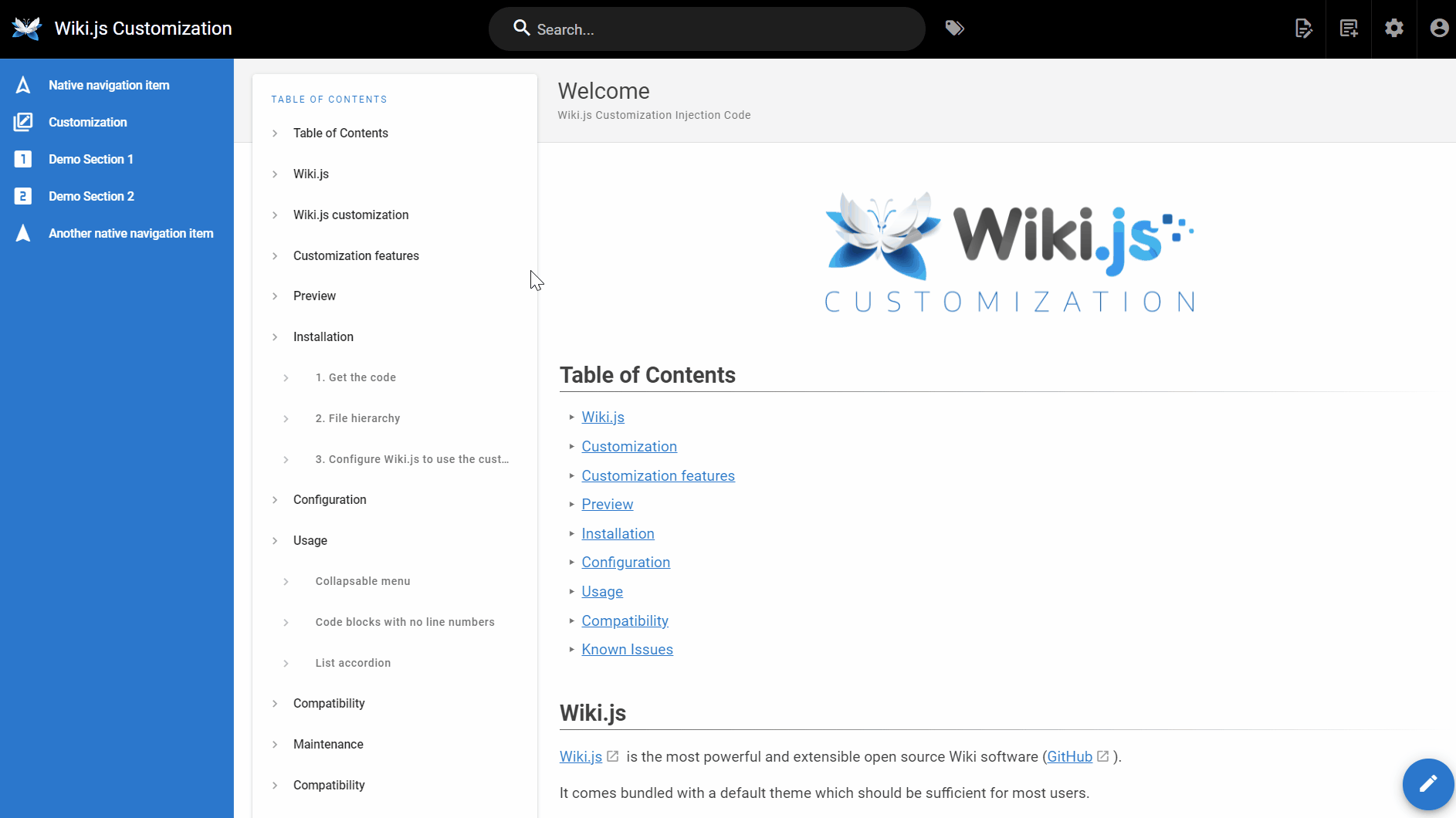
What is Wiki.js?
Wiki.js is a modern, open-source wiki and knowledge management platform built with Node.js. It provides a centralized environment for creating, organizing, editing, and sharing documentation, technical guides, internal knowledge bases, and collaborative content.
Designed for individuals, development teams, and organizations, Wiki.js combines a powerful Markdown editor with a flexible visual editor, full-text search, user management, access controls, and integrations with external identity providers.
Content can be synchronized with Git repositories, allowing teams to manage documentation through familiar version control workflows while keeping their knowledge base accessible through a web interface.
Wiki.js 3 introduces a redesigned architecture with real-time collaboration, multiple wiki sites, dynamic content blocks, expanded editing capabilities, and a modern REST API. It uses PostgreSQL as its database and Node.js as its application runtime.
The platform is self-hosted, highly extensible, and distributed under the GNU Affero General Public License version 3 (AGPL-3.0).
History of Wiki.js
Wiki.js was originally created by Nicolas Giard, also known as NGPixel, and has been developed as an open-source documentation platform since 2017.
The original versions established Wiki.js as a modern alternative to traditional wiki engines, combining Markdown-based content creation, Git synchronization, authentication integrations, and a customizable interface.
The project evolved through its 2.x releases, introducing additional editors, storage providers, authentication modules, search integrations, and administration capabilities.
On November 1, 2026, the project officially released Wiki.js 3.0 as a stable version. This release represented a complete rewrite of the frontend and backend, introducing significant architectural and functional improvements.
Major additions in Wiki.js 3 include:
- Real-time collaborative editing.
- Multi-site wiki hosting.
- A redesigned Markdown editor based on the Monaco editor.
- A new visual editor.
- Expanded content blocks.
- A built-in file manager.
- Improved permissions and approval workflows.
- A documented REST API.
- Updated authentication architecture.
- Improved search and PostgreSQL integration.
As of November 14, 2026, the latest published release is Wiki.js 3.3.1.
Key Features of Wiki.js
Wiki.js provides a comprehensive set of capabilities for creating and maintaining collaborative documentation.
- Markdown Editor: Write documentation using Markdown with syntax highlighting, autocomplete, and live side-by-side previews.
- Visual Editor: Create and format content through a rich-text editing interface without manually writing Markdown.
- AsciiDoc Support: Use AsciiDoc as an alternative documentation format.
- Git Integration: Synchronize wiki content with Git repositories using two-way synchronization.
- Authentication Providers: Support local accounts, OpenID Connect, LDAP, and SAML authentication.
- Granular Permissions: Control access to individual pages, paths, groups, locales, and wiki sites.
- Real-Time Collaboration: Allow multiple users to edit documents simultaneously.
- Full-Text Search: Find information across documentation using built-in search capabilities.
- Multi-Site Hosting: Host multiple independent wiki sites from a single Wiki.js instance.
- Content Blocks: Embed dynamic components such as diagrams, maps, galleries, infoboxes, and other interactive elements.
- Page History: Track revisions, compare changes, and restore previous versions.
- File Manager: Organize documentation pages and uploaded assets in a unified interface.
- Localization: Create and manage documentation in multiple languages.
- Approval Workflows: Allow users to suggest edits while designated reviewers control publication.
- Comments and Annotations: Discuss entire pages or specific sections of documentation.
- Audit Logging: Keep track of user activity and administrative changes.
- REST API: Integrate Wiki.js with external applications and automation workflows.
- Webhooks: Send notifications to external systems when wiki events occur.
- Custom Themes: Configure the appearance, layout, and visual identity of the wiki.
- Optional MCP Integration: Allow compatible AI agents to access wiki information and perform supported actions under the permissions of the connected user.
Use Cases
Wiki.js can be used for a wide range of documentation and knowledge management scenarios.
Common use cases include:
- Technical Documentation: Maintain installation instructions, API references, architecture documentation, and development guides.
- Internal Knowledge Bases: Centralize company procedures, operational instructions, and institutional knowledge.
- Team Collaboration: Allow employees and contributors to create and maintain shared documentation.
- IT Documentation: Organize infrastructure information, network diagrams, server inventories, and troubleshooting procedures.
- Software Documentation: Maintain project documentation alongside source code using Git synchronization.
- Customer Support: Create searchable help centers, product guides, and frequently asked questions.
- Project Documentation: Manage project specifications, development notes, and release information.
- Company Wikis: Build an internal resource for policies, onboarding documentation, and organizational processes.
- Educational Resources: Publish course materials, tutorials, and collaborative learning resources.
- Research Documentation: Organize technical findings, research notes, and reference material.
- Operational Runbooks: Maintain procedures for system administration, maintenance, and incident response.
- Multi-Department Documentation: Separate documentation spaces for different teams or business units.
Benefits of Wiki.js
- Centralized documentation management.
- Open-source and self-hosted architecture.
- Multiple content editors.
- Markdown-based documentation.
- Git-backed synchronization.
- Real-time collaborative editing.
- Powerful full-text search.
- Granular permission management.
- Multiple authentication providers.
- Support for multiple independent wiki sites.
- Built-in revision history.
- Flexible content organization.
- Customizable appearance.
- Integration with external applications.
- REST API and webhook support.
- Extensive administration capabilities.
- No dependency on a proprietary hosted documentation service.
How to Install Wiki.js
To install Wiki.js through Esadax, follow these steps:
- Purchase Wiki.js through Esadax.
- After purchasing, provide the required application configuration details.
- Configure the application URL and administrator account.
- Configure the PostgreSQL database connection.
- Select the required application access and security settings.
- Click Deploy to launch the application.
- Access Wiki.js through its assigned URL.
- Sign in using the administrator account.
- Complete the initial application configuration.
- Configure authentication providers, user groups, and permissions as required.
- Create your first documentation space and start adding pages.
Once installed, Wiki.js provides a centralized environment for organizing and publishing documentation.
Documentation Editors
Wiki.js 3 includes several editing experiences designed for different types of users and documentation workflows.
Markdown Editor
The Markdown editor provides a structured writing environment with a live preview.
It uses the Monaco editor, the same editor engine used by Visual Studio Code, offering features such as:
- Syntax highlighting.
- Autocomplete.
- Inline editing assistance.
- Live document preview.
- Keyboard shortcuts.
- Markdown formatting.
- Code blocks and syntax highlighting.
- Tables and structured content.
- Mathematical expressions.
- Diagram definitions.
Markdown remains a plain-text format, making documentation easy to review, transfer, and manage through Git.
Visual Editor
The Visual Editor provides a rich-text experience for users who prefer formatting content without writing Markdown directly.
It supports common documentation elements, including:
- Headings.
- Paragraphs.
- Lists.
- Tables.
- Images.
- Links.
- Code blocks.
- Formatting elements.
- Embedded content.
Content created through the Visual Editor is stored using Markdown-based content behind the scenes.
AsciiDoc Editor
Wiki.js also supports AsciiDoc for users who prefer its structured documentation syntax.
AsciiDoc is suitable for technical manuals, structured guides, and larger documentation projects.
Collaborative Editing
Wiki.js 3 supports simultaneous editing by multiple users.
Contributors can work on the same document while seeing other participants' cursors and changes in real time.
The collaborative editing functionality is particularly useful for teams preparing technical specifications, incident reports, operational documentation, and shared notes.
Git Integration and Version Control
One of Wiki.js's important capabilities is its integration with Git.
Git synchronization allows documentation content to be exchanged with an external repository, making it possible to maintain documentation alongside software projects and development workflows.
Wiki.js 3 provides two-way synchronization, allowing content changes to move between the wiki and the connected repository.
This enables teams to:
- Maintain documentation in a Git repository.
- Synchronize wiki changes with version-controlled files.
- Review documentation changes through familiar development workflows.
- Keep Markdown content accessible outside the wiki interface.
- Integrate documentation into existing source control processes.
- Maintain an external copy of documentation.
Git integration is particularly useful for development teams that already use GitHub, GitLab, or other compatible Git hosting platforms.
Git Synchronization Workflow
A typical workflow consists of the following steps:
- Configure a supported Git storage destination.
- Connect Wiki.js to a dedicated repository.
- Configure synchronization behavior.
- Create or update documentation in Wiki.js.
- Allow the synchronization process to publish changes.
- Retrieve repository changes through the configured synchronization workflow.
Wiki.js can also synchronize content with supported local and cloud storage destinations.
Important: Git synchronization should be treated as a content synchronization mechanism, not as a replacement for a complete application and database backup.
Authentication and Identity Management
Wiki.js supports several authentication methods, allowing organizations to integrate the platform with existing identity management systems.
Supported authentication methods include:
| Provider | Description |
|---|---|
| Local Authentication | Manage user accounts directly within Wiki.js. |
| OpenID Connect | Integrate with compatible identity providers. |
| Support sign-in through Google identity services. | |
| GitHub | Allow authentication through GitHub accounts. |
| LDAP | Integrate with LDAP directory services. |
| SAML 2.0 | Connect to enterprise identity providers supporting SAML. |
Additional authentication integrations may be available through supported identity provider configurations.
OpenID Connect
OpenID Connect provides a standard authentication mechanism for connecting Wiki.js to compatible identity providers.
It can be used with identity services such as Keycloak and other OIDC-compatible platforms.
LDAP Authentication
LDAP integration allows organizations to authenticate users against an existing directory service.
This is useful for companies that already maintain centralized user accounts and directory-based access policies.
SAML Authentication
SAML 2.0 allows Wiki.js to integrate with enterprise single sign-on infrastructure.
This provides an authentication option for organizations using centralized identity platforms.
Group Mapping
Authentication integrations can map users into Wiki.js groups.
This makes it possible to associate external identity information with internal wiki permissions.
Permissions and Access Control
Wiki.js includes a flexible permissions system for controlling who can read, create, edit, manage, and administer documentation.
Administrators can define groups and assign permissions according to their organizational requirements.
Permissions can be scoped to:
- Individual wiki pages.
- Documentation paths.
- Groups of users.
- Localized pages.
- Individual wiki sites.
- Administrative functions.
Typical permission roles include:
| Role | Typical Permissions |
|---|---|
| Reader | View authorized documentation. |
| Contributor | Create and edit permitted pages. |
| Reviewer | Review proposed changes and approve publication. |
| Manager | Manage documentation within assigned areas. |
| Administrator | Manage users, permissions, configuration, and the wiki itself. |
The permission model supports both inherited and explicitly defined access rules.
This makes Wiki.js suitable for environments where some documentation is public while other information must remain restricted to specific teams.
Multi-Site Wiki Management
Wiki.js 3 introduces support for hosting multiple independent wiki sites through a single application instance.
Each site can have its own configuration, including:
- Hostname.
- Theme.
- Localization.
- Authentication configuration.
- Storage configuration.
- Editors.
- Documentation structure.
Users and groups can be shared across the instance, simplifying identity and access management.
Multi-site functionality is useful for organizations that need separate knowledge bases for different departments, products, customers, or business units.
For example, an organization could maintain separate sites for:
- Internal company documentation.
- Technical documentation.
- Customer support.
- Product documentation.
- Development team resources.
Each site can have its own hostname and presentation while benefiting from shared application infrastructure.
Content Blocks and Dynamic Documentation
Wiki.js supports content blocks that allow dynamic and interactive elements to be embedded directly into documentation pages.
Instead of limiting pages to text and images, content blocks make it possible to create richer documentation experiences.
Examples include:
- Infoboxes.
- Image galleries.
- Maps.
- PDF viewers.
- Page indexes.
- Spoiler sections.
- Embedded videos.
- Mermaid diagrams.
- PlantUML diagrams.
- KaTeX mathematical expressions.
- Draw.io diagrams.
- Custom application-specific blocks.
More than 25 built-in content blocks are available in Wiki.js 3.
Developers can also create custom content blocks to extend the platform with additional functionality.
This is useful for technical documentation containing architecture diagrams, interactive references, visual explanations, and embedded resources.
Page History and Revision Management
Wiki.js maintains a history of documentation changes, allowing administrators and contributors to review how pages have evolved.
The revision system provides functionality for:
- Viewing previous revisions.
- Comparing document changes.
- Identifying who made modifications.
- Restoring previous versions.
- Reviewing the evolution of documentation.
Wiki.js 3 also introduces a recycle bin for recovering deleted pages.
These features help prevent accidental information loss and provide visibility into documentation changes.
For organizations maintaining important operational or technical documentation, revision management is an essential part of knowledge governance.
Comments, Annotations, and Approval Workflows
Wiki.js 3 provides collaboration and review features that help teams maintain documentation quality.
Comments and Annotations
Users can discuss entire pages or add annotations to specific sections and passages.
This makes it easier to identify outdated information, suggest corrections, and discuss technical details without modifying the original content immediately.
Edit Suggestions
Read-only users can be allowed to suggest changes to documentation.
Authorized reviewers can evaluate these suggestions and decide whether to approve or reject them.
Approval Rules
Administrators can define approval policies for selected pages and documentation areas.
This supports controlled publication workflows where documentation must be reviewed before becoming available to readers.
Lifecycle Rules
Lifecycle rules can trigger actions based on documentation conditions.
For example, administrators can configure policies to identify pages that have not been updated for a specified period and notify their owners that a review is required.
These capabilities are particularly useful for compliance documentation, operational procedures, and internal knowledge bases.
Search and Documentation Organization
Wiki.js includes built-in full-text search powered by PostgreSQL.
Users can search documentation without requiring a separate search platform.
Search functionality supports:
- Full-text search.
- Ranked search results.
- Boolean search.
- Tag-based filtering.
- Documentation discovery.
- Searching across authorized pages.
The platform also provides a structured file manager for managing documentation pages and associated assets.
Pages and files can be organized through folders, renamed, moved, and deleted through the administration interface.
The combination of search, page organization, tags, and navigation makes large documentation collections easier to maintain.
API and Automation
Wiki.js 3 provides a REST API documented using the OpenAPI specification.
The API allows external applications and scripts to interact with wiki resources programmatically.
Possible integrations include:
- Automated documentation publishing.
- Internal knowledge management systems.
- CI/CD workflows.
- External reporting systems.
- Custom administrative tools.
- Documentation synchronization services.
- Automated content management processes.
The API can be used to build integrations without requiring users to perform every operation through the web interface.
Wiki.js also supports webhooks for notifying external systems when specific wiki events occur.
MCP Integration
Wiki.js 3 includes an optional Model Context Protocol (MCP) server.
When enabled and properly configured, compatible AI agents can interact with wiki content through supported operations.
Depending on permissions, these operations can include searching pages, reading documentation, and proposing edits.
The integration is disabled until explicitly enabled and follows the permissions of the connected user.
This allows organizations to introduce AI-assisted knowledge retrieval without automatically granting agents unrestricted access to the documentation platform.
Security / Administration / Configuration
Wiki.js provides an administration interface for managing application settings, users, authentication, permissions, and documentation policies.
Important security considerations include:
- Enable HTTPS for external access.
- Use strong administrator credentials.
- Restrict administrative permissions.
- Configure authentication providers carefully.
- Enable multi-factor authentication where supported.
- Apply group-based access policies.
- Review page-level permissions.
- Keep application dependencies updated.
- Monitor administrative activity through audit logs.
- Restrict access to database services.
- Protect Git repository credentials.
- Back up the PostgreSQL database regularly.
- Review external integrations and API access.
- Configure trusted proxy headers when operating behind a reverse proxy.
Multi-Factor Authentication
Wiki.js 3.3 includes group-level enforcement of two-factor authentication.
Administrators can use this capability to require stronger authentication for selected groups rather than relying exclusively on voluntary user enrollment.
Audit Logging
The audit log records relevant application activity.
Administrators can use it to review changes and investigate user actions.
Security and Reverse Proxies
When deploying Wiki.js behind a reverse proxy, the required forwarded headers and WebSocket support must be configured correctly.
The application provides a trusted proxy setting for handling forwarded request information.
This is important for correct authentication behavior, rate limiting, audit logging, and real-time collaboration.
Best Practices for Wiki.js
- Use a dedicated hostname for the wiki.
- Configure HTTPS before allowing external access.
- Use PostgreSQL for application data.
- Create a dedicated database account.
- Use external identity providers when centralized authentication is required.
- Organize users into groups according to their responsibilities.
- Apply the principle of least privilege.
- Configure page-level permissions for sensitive documentation.
- Use Git synchronization when documentation version control is important.
- Configure a separate backup strategy for the database and uploaded assets.
- Test database and file restoration procedures.
- Use approval workflows for critical documentation.
- Define lifecycle policies for frequently reviewed pages.
- Keep operational documentation updated.
- Monitor application and database resource consumption.
- Review audit logs regularly.
- Keep Wiki.js and its dependencies updated.
- Test major upgrades against a backup before applying them to production.
Configuration and Administration
After purchasing Wiki.js on Esadax, you can access the application and configure its available settings.
The administration interface provides centralized management of the wiki and its features.
Important configuration areas include:
| Configuration Area | Description |
|---|---|
| General Settings | Configure the site name, hostname, and general application behavior. |
| Users and Groups | Create users and organize them into permission groups. |
| Permissions | Define access to documentation, sites, and administrative functions. |
| Authentication | Configure local authentication and external identity providers. |
| Editors | Enable and manage supported documentation editors. |
| Storage | Configure Git synchronization and supported storage destinations. |
| Search Engine | Manage search behavior and indexing capabilities. |
| Navigation | Configure the wiki navigation structure. |
| Theme | Customize the application appearance and layout. |
| Localization | Manage supported languages and translations. |
| Mail Configuration | Configure email delivery for application notifications. |
| Webhooks | Connect wiki events to external applications. |
| Security | Manage authentication policies and security settings. |
| Metrics | Configure application monitoring and Prometheus metrics. |
| Site Management | Manage multiple wiki sites hosted by the same instance. |
The available configuration options depend on the installed Wiki.js version and enabled functionality.
Database and Persistent Storage
Wiki.js 3 uses PostgreSQL as its required database engine.
Unlike earlier Wiki.js generations, version 3 no longer supports alternative database engines.
The database stores the information required by the application, including wiki content, user accounts, permissions, application configuration, and other system data.
Database Requirements
Wiki.js 3 requires:
| Component | Requirement |
|---|---|
| Database | PostgreSQL |
| Supported Versions | PostgreSQL 17 or PostgreSQL 18 |
| Required Extensions | ltree and pg_trgm |
| Application Runtime | Node.js 26 |
A dedicated PostgreSQL database and database account should be used for the application.
Git and External Storage
Git synchronization provides an additional way to maintain documentation outside the primary database.
Wiki.js can synchronize content with supported Git repositories and other storage destinations.
External storage is particularly useful for maintaining portable Markdown documentation and integrating wiki content into existing development workflows.
Backup Recommendations
A reliable backup strategy should include:
- PostgreSQL database backups.
- Uploaded images and document assets.
- Important application configuration.
- External Git repositories.
- Any separately maintained persistent storage.
Git synchronization alone should not be considered a complete backup of the Wiki.js installation.
Performance and System Requirements
Wiki.js is designed to run on a wide range of server configurations.
Its resource requirements depend on the number of users, documentation size, search activity, background jobs, and collaboration workload.
Recommended baseline requirements from the official documentation include:
| Resource | Recommendation |
|---|---|
| CPU | At least 1 core; 2 or more recommended |
| RAM | At least 1 GB on Linux |
| Application Storage | At least 1 GB |
| Node.js | Version 26 |
| Database | PostgreSQL 17 or 18 |
| Network | HTTP and WebSocket connectivity |
Additional resources may be necessary for larger installations, especially when hosting multiple wiki sites or supporting many concurrent users.
Performance Considerations
Wiki.js uses background workers for tasks such as maintenance, search indexing, webhooks, and page rendering.
For larger installations:
- Allocate sufficient CPU resources for background processing.
- Monitor PostgreSQL performance.
- Use appropriate persistent storage.
- Monitor database connections and query activity.
- Ensure that background jobs can complete successfully.
- Configure the reverse proxy for WebSocket connections.
- Monitor application metrics.
- Use an appropriately sized PostgreSQL deployment for high availability.
Licensing and Open-Source Model
Wiki.js is released under the GNU Affero General Public License version 3 (AGPL-3.0).
The source code is publicly available, and the application can be self-hosted and customized.
Organizations can modify the application and integrate it into their own infrastructure while respecting the applicable license requirements.
The project is community-driven and provides public documentation, source code, issue tracking, and contribution channels.
Conclusion
Wiki.js is a comprehensive open-source platform for building self-hosted knowledge bases and collaborative documentation environments.
Its combination of Markdown editing, visual editing, Git synchronization, authentication integrations, granular permissions, full-text search, and administration tools makes it suitable for both personal knowledge management and enterprise documentation.
Wiki.js 3 significantly expands the platform with real-time collaboration, multi-site hosting, dynamic content blocks, approval workflows, and an OpenAPI-compliant REST API.
With PostgreSQL as its database foundation and support for external identity providers, Wiki.js provides a flexible solution for teams that want full control over their documentation infrastructure.
Whether used for technical documentation, internal company knowledge, customer support, or operational runbooks, Wiki.js offers a structured and extensible environment for creating and maintaining organizational knowledge.